
Product tour
Watch the overview and five focused walkthroughs. Actual interface, illustrative records and playback controls.
Watch the product tourResource centre
Use product walkthroughs, sample records and practical guides to assess the workflow before you connect your environment.
Inspect the real sample screens below.
EXPLORE THE ACTUAL SAMPLE INTERFACE
Preview a sample screen, inspect its review area and continue to the relevant capability or the full product tour.
Device context
The sample asset list connects device names, owners, inventory status and vulnerability context. Use those fields to agree what belongs in the review.
Does the record identify the intended device, responsible team and observation time?
Next handoverResolve missing or stale context before choosing a supported response.
Explore this capability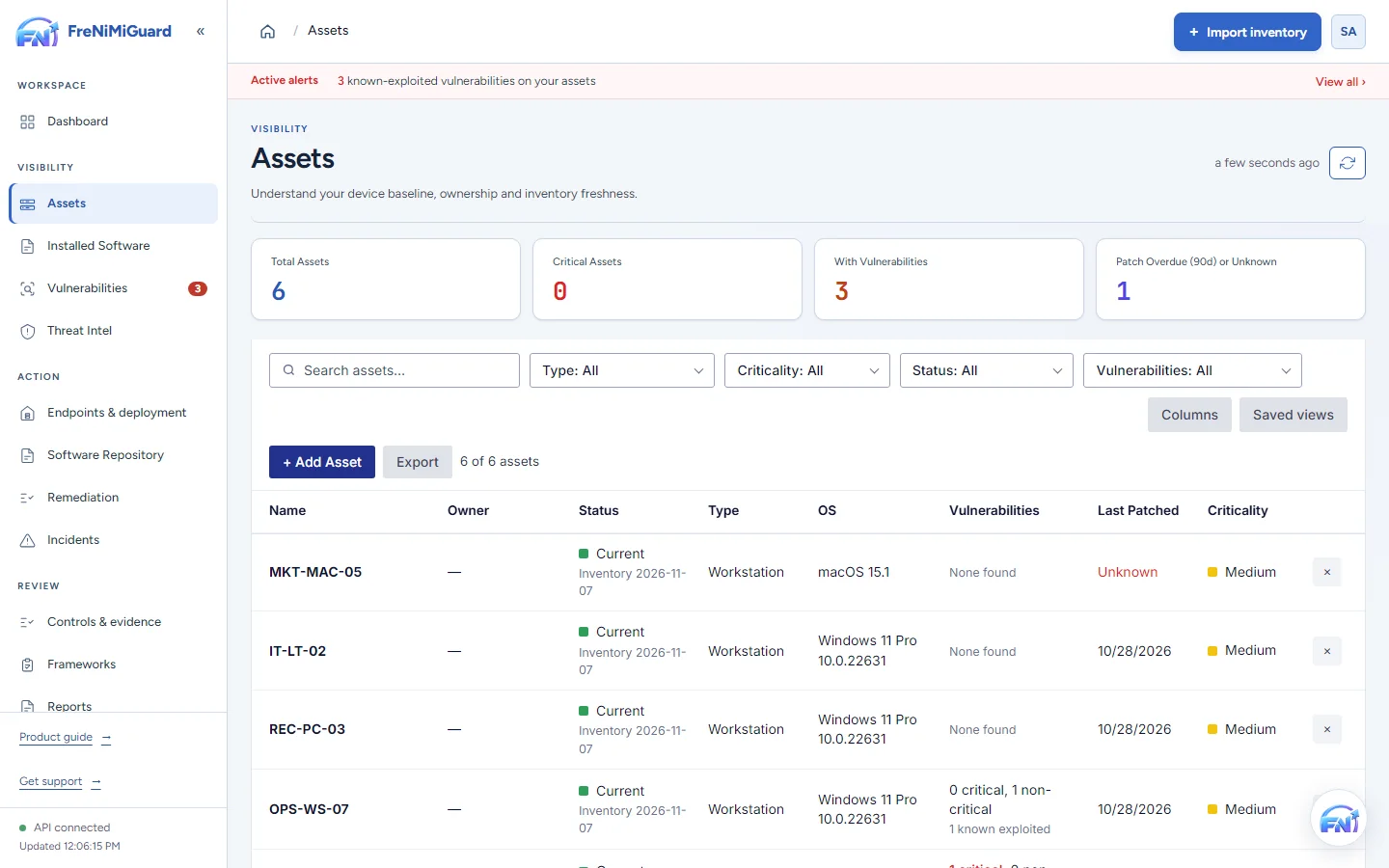
Actual product screenshot with sample records. These screens are not a continuous before-and-after patch test.
Stage: Device context
Evidence boundary: a screenshot shows an interface and sample records. A task note or successful command response alone does not establish an observed endpoint outcome. Watch the existing product recordings →
See and inspect
Watch the overview and five focused walkthroughs. Actual interface, illustrative records and playback controls.
Watch the product tourInspect an example of the finding, assigned work and verification material a reviewer may need.
Inspect the sample recordReview the product coverage information and discuss your supported operating systems, application sources and action requirements.
Review coverageBlog and guides
A practical checklist for reviewing device records, versions and ownership before you plan a software fix.
Read the guideSeparate an approved action, an execution result and the later observation that supports a remediation review.
Read the guideStructure a short security review around ownership, current evidence and the next action, with supporting detail ready.
Read the guidePlan an evaluation
Identify inventory sources, supported devices, connection owners and the actions your team wants to evaluate.
Review connection requirementsReview agent behaviour, permissions and the information needed to assess deployment responsibilities.
Read security and trustCompare the available plans, then discuss required report formats and framework tools.
Compare plansEvaluation workbook
Bring your device sources, remediation process and review expectations. Agree a supported scope before rollout.