
Connect a requirement to supporting material
Keep review notes and relevant evidence near the control work. Distinguish what the team has observed from what still needs a policy, document or human assessment.
Controls and evidence
Bring control-review work and supporting records together. Use the tools included in your plan to organise checklists, evidence and available exports.
Inspect the real sample screens below.
What your team can do
Keep review notes and relevant evidence near the control work. Distinguish what the team has observed from what still needs a policy, document or human assessment.
Agree the person responsible for a control and the material they need to provide. Evidence collection supports a review, but the reviewer still needs to assess its relevance, scope and freshness.
Discuss framework modules and OSCAL export requirements when comparing plans. Check sample material and the expected review format before relying on a particular export in your process.
EXPLORE THE ACTUAL SAMPLE INTERFACE
These sample report, finding and task screens illustrate supporting material. They are not a control certification or a demonstration of every framework module.
Review material
The sample report lists individual CVEs, assets and prioritisation context. It demonstrates a review surface, not a live statement about your environment.
Can the reviewer trace a summary item back to the relevant device and finding?
Next handoverState source coverage and unresolved outcomes when sharing a review.
Explore this capability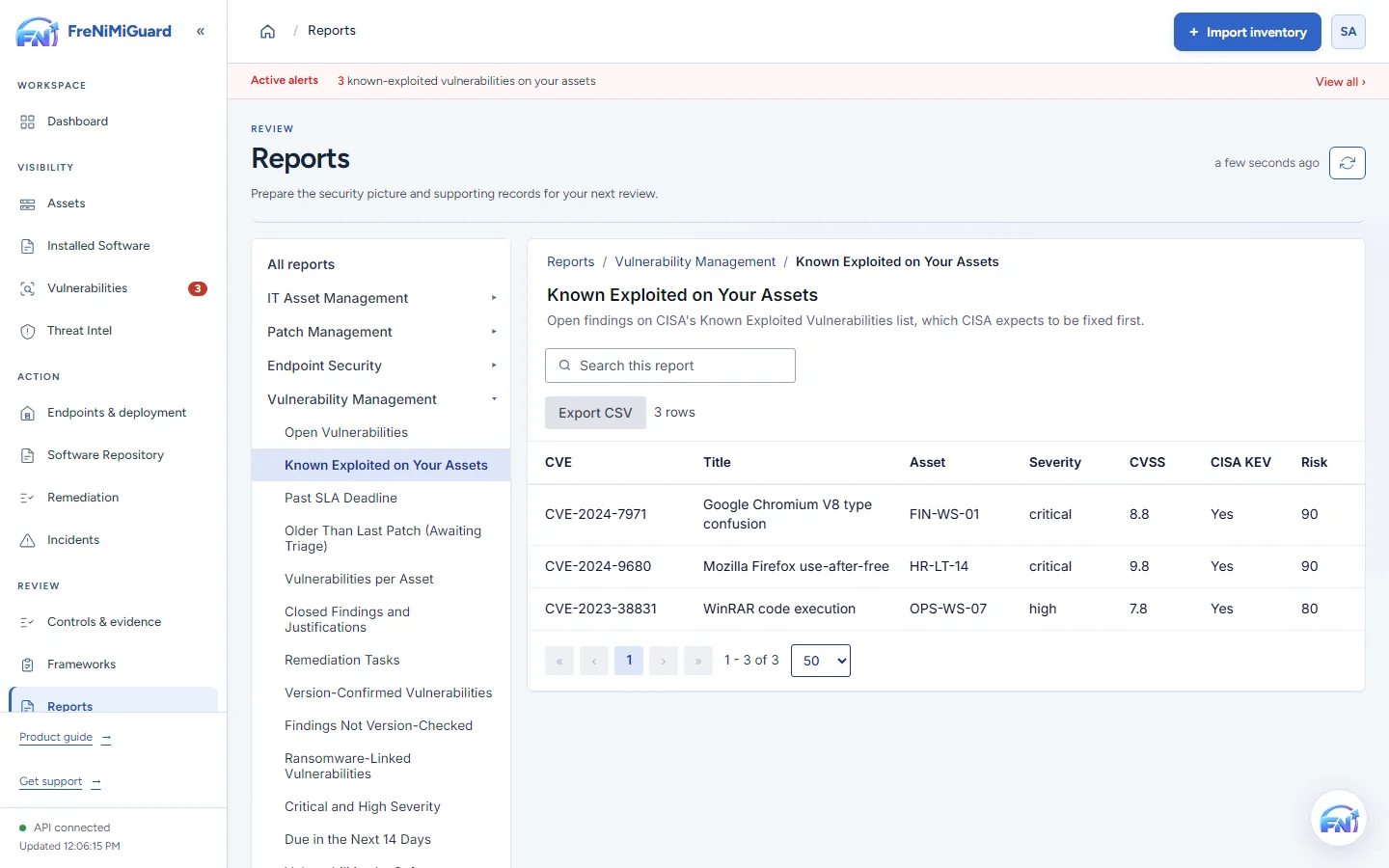
Actual product screenshot with sample records. These screens are not a continuous before-and-after patch test.
Stage: Review material
Evidence boundary: a screenshot shows an interface and sample records. A task note or successful command response alone does not establish an observed endpoint outcome. Watch the existing product recordings →
Review checkpoints
| Checkpoint | What to review | What to keep visible |
|---|---|---|
| Relevance | Check how each record supports the control question. | A technical observation may support only part of a requirement. |
| Freshness | Compare the observation date with the review period. | Old evidence may not describe the current environment. |
| Completeness | Identify policies, human decisions and records still missing. | An export is supporting material, not a certification. |
Questions before rollout
No. Framework tools and evidence exports support review work. Certification or an assurance opinion depends on the relevant independent process.
Availability varies by plan and deployment scope. Review current pricing and discuss the framework modules and exports you need before purchasing.
Continue exploring
Bring supported devices and installed software into one workspace. Review version details, device ownership and inventory freshness before deciding what needs attention.
Explore capabilityReview software findings with affected-device context and known exploitation information. Give the team a clear starting point for investigation and remediation ownership.
Explore capabilityCoordinate supported updates and software deployments with clear approval and device scope. Use the optional agent for supported actions, with the configuration and permissions your environment requires.
Explore capabilityGive a finding an owner, track the follow-up and keep the result with the task. Distinguish work that was planned, sent, observed and still needs review.
Explore capabilityTurn software findings and remediation work into a clearer conversation with leadership. Use summaries and supported exports to explain progress, unresolved items and the next decisions.
Explore capabilityBring your device sources, remediation process and review expectations. Agree a supported scope before rollout.