
Start with a software inventory you can act on
A practical checklist for reviewing device records, versions and ownership before you plan a software fix.
Read the guideFreNiMiGuard blog
Guides for making software inventory, remediation handovers and security reviews easier to follow. Written by the FreNiMi team.
EXPLORE THE ACTUAL SAMPLE INTERFACE
Use the articles for process detail and these earlier sample screens for interface context.
Device context
The sample asset list connects device names, owners, inventory status and vulnerability context. Use those fields to agree what belongs in the review.
Does the record identify the intended device, responsible team and observation time?
Next handoverResolve missing or stale context before choosing a supported response.
Explore this capability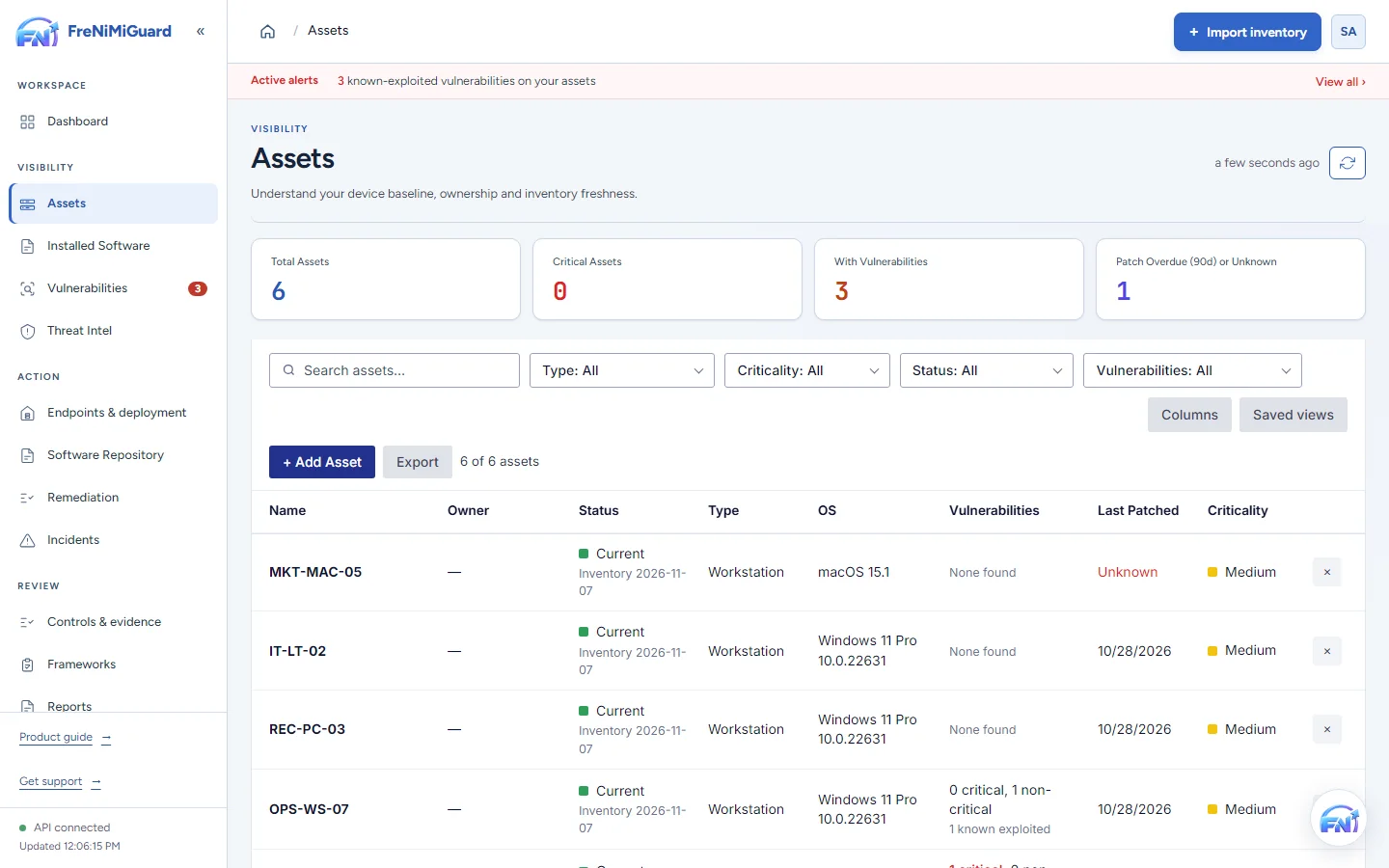
Actual product screenshot with sample records. These screens are not a continuous before-and-after patch test.
Stage: Device context
Evidence boundary: a screenshot shows an interface and sample records. A task note or successful command response alone does not establish an observed endpoint outcome. Watch the existing product recordings →
Learn and apply
3 articles shown
A practical checklist for reviewing device records, versions and ownership before you plan a software fix.
Read the guideSeparate an approved action, an execution result and the later observation that supports a remediation review.
Read the guideStructure a short security review around ownership, current evidence and the next action, with supporting detail ready.
Read the guideNo matching guides. Try a different topic or search term.
Explore actual product screens with sample data, then discuss how the workflow could fit your environment.
Put the guidance to work