
Small office
Starter
Inventory, vulnerability review, approved fixes, reports and evidence exports.
Up to 5 devicesSee Starter pricingTHE FRENIMIGUARD PLATFORM
Connect software inventory, vulnerability review and accountable remediation in one workspace. Give your team the context to act and the records to explain what happened next.
Browser-based workspace. Supported imports. Optional endpoint agent.
EXPLORE THE WORKSPACE
Choose the part of the work you want to explore. Inspect the sample interface, see the handover it supports and continue into the detail.
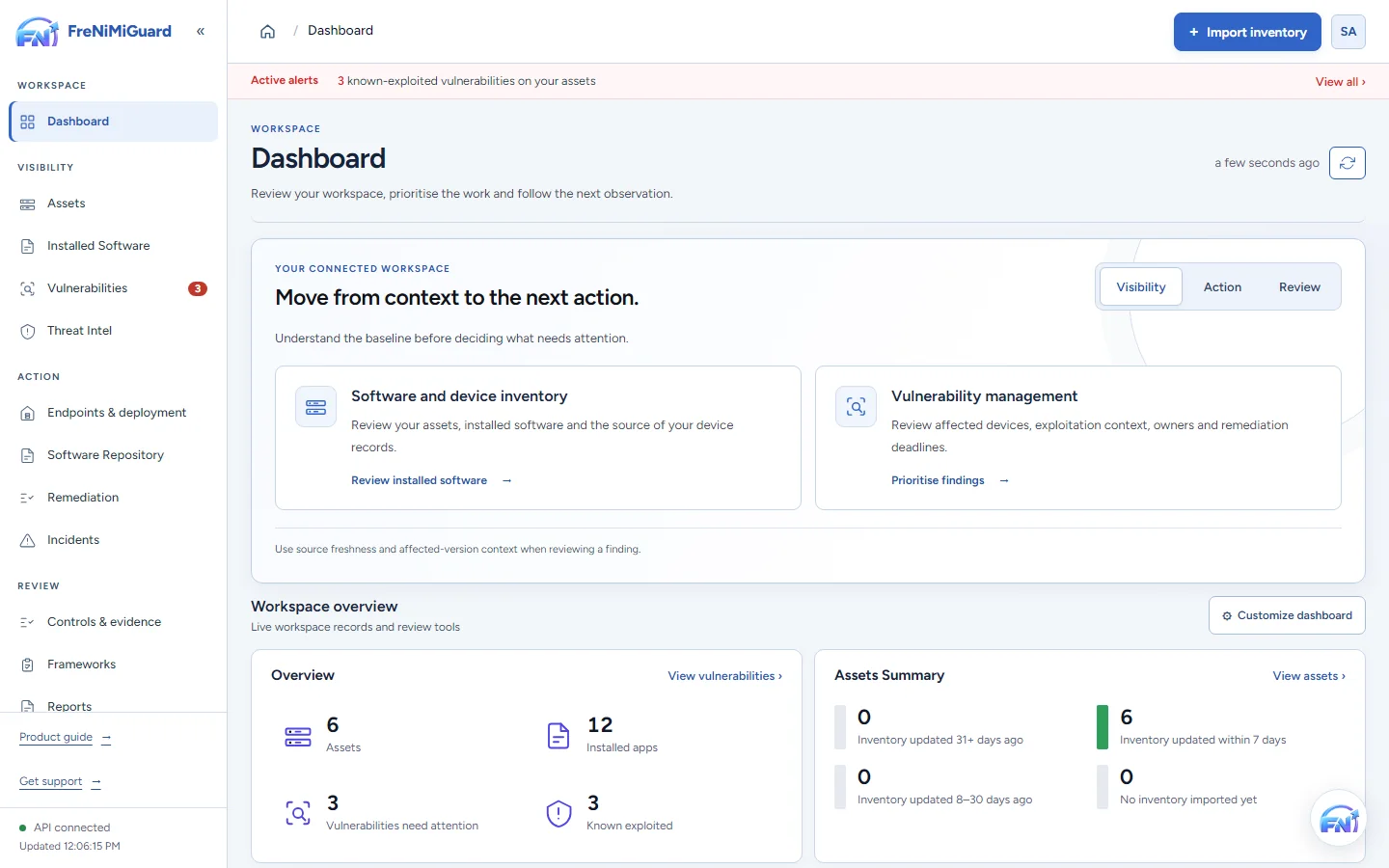
Devices and software
Bring supported devices and installed software into view. Review the reported version, owner and source freshness before turning a record into a remediation decision.
Actual product interface. Sample screenshot.
A reviewed device baseline and a named owner for source gaps.
Inventory is included in every plan.
Screenshots illustrate separate sample workflows. A task note or command response alone does not establish that a live endpoint was successfully updated.
WORK WITH YOUR EXISTING SYSTEMS
Find the connection by its purpose, then review the supported scope and permissions. Logos identify systems, not a vendor partnership or identical functionality.
9 connections shown
Explore inventory sources, security findings, team coordination and supporting evidence.
 Inventory
Review supported device and software imports.
InventoryBring a supported device and software inventory file.
 Security sources
Review imported scan findings in their source context.
 Security sources
Review supported imported device vulnerabilities.
 Coordination
Connect supported remediation task workflows.
 Coordination
Deliver configured alerts and report notifications.
 Coordination
Share supported notifications with your team.
 Evidence
Read-only checks for supporting compliance evidence.
 Evidence
Review supported repository evidence checks.
No matching connections. Try another name or reset the filters.
CHOOSE YOUR STARTING POINT
Choose an approach to see its inputs and responsibilities. Bringing records into the workspace and authorising endpoint actions are separate decisions.
Start with supported inventory imports, a CSV or a collector. Compare a small device group with your existing source before expanding the scope.
The product supports workplace IT within its published coverage. Review medical, industrial, point-of-sale and other specialist systems separately.
ONE PLATFORM, EVERY FEATURE ON EVERY PLAN
The capability pages explain the connected workflows. Every plan includes every feature, so the right plan depends only on how many devices you cover.
Small office
Inventory, vulnerability review, approved fixes, reports and evidence exports.
Up to 5 devicesSee Starter pricingGrowing team
The same features as Starter, for more devices.
Up to 20 devicesSee Team pricingLarger office
The same features again, for an office with up to 50 devices.
Up to 50 devicesSee Business pricingLarger fleets or a different hosting boundary? Enterprise requirements and scoped assistance are discussed separately.
Discuss EnterpriseGET THE DETAILS STRAIGHT
Understand the boundary between visibility, action and evidence.
The workspace is accessed through a browser. Supported imports and collectors provide inventory starting points. Install the optional agent on supported computers when local collection or configured endpoint actions are needed. Enterprise hosting is discussed separately.
No. Review the published software and platform coverage. Supported actions depend on the device, agent configuration, permissions and approvals. Specialist and operational systems need separate suitability review.
Review the intended action, its reported execution state and the next available inventory or source observation. A saved note or successful command response alone does not establish the installed software state. Keep missing, offline and uncertain checks visible.
No. Control tools, checklists and exports support your review process. Reviewers still assess relevance, completeness and the applicable obligations. Confirm required framework modules and formats against the current plan.
Choose a small, supported device group. Review inventory completeness, investigate a software finding, agree ownership and the permitted response, then inspect the available follow-up record and report. Use the tour to prepare questions before connecting your environment.
MAKE THE NEXT STEP PRACTICAL
Tell us about your device sources, approval process and reporting needs. See how the supported workflow fits before expanding access.