
What does “successful” actually establish?
The maintenance window ends and the deployment tool reports success. That is useful information. The next reviewer still needs to understand what it represents: a package accepted, an installer completed, a restart still required, or a later observation of the intended software state.
Different meanings of “done” create avoidable confusion. A clear record connects the intended response, reported execution result and available follow-up observation. It also explains why some work remains open.
This distinction helps the team direct its next effort. An offline laptop needs a different response from a successful installation waiting for inventory to refresh.
Give each stage a meaning the team can use
| Work state | What it establishes | What to inspect next |
|---|---|---|
| Approved | An authorised person agreed the scope and response. | Device coverage, package and execution prerequisites. |
| Queued or sent | The action entered the execution workflow. | Whether the target received and attempted it. |
| Execution reported successful | The source reported success under its own rules. | Required follow-up, detection and source freshness. |
| Outcome observed | A suitable later source reports the relevant state. | Device, product, version and timing against the intended result. |
| Unresolved or excepted | The check is missing, conflicting or subject to a documented decision. | Reason, owner and next review point. |
These are suggested process labels. Your tools may use different names. Map their actual meanings before combining reports across systems.
Three laptops after the same maintenance window
EXPLORE THE ACTUAL SAMPLE INTERFACE
See the records. Ask what each one establishes.
Explore a task record, an inventory view and a report. These are separate sample screens, not a recorded before-and-after patch test.
Coordinated work
Give the next action a person and a review point.
The sample remediation screen shows task names, owners, due dates and work states. It illustrates coordination, not proof that an endpoint was patched.
Who owns the work, and what information is needed before it can be closed?
Next handoverKeep the execution outcome and the later source observation distinct.
Explore this capability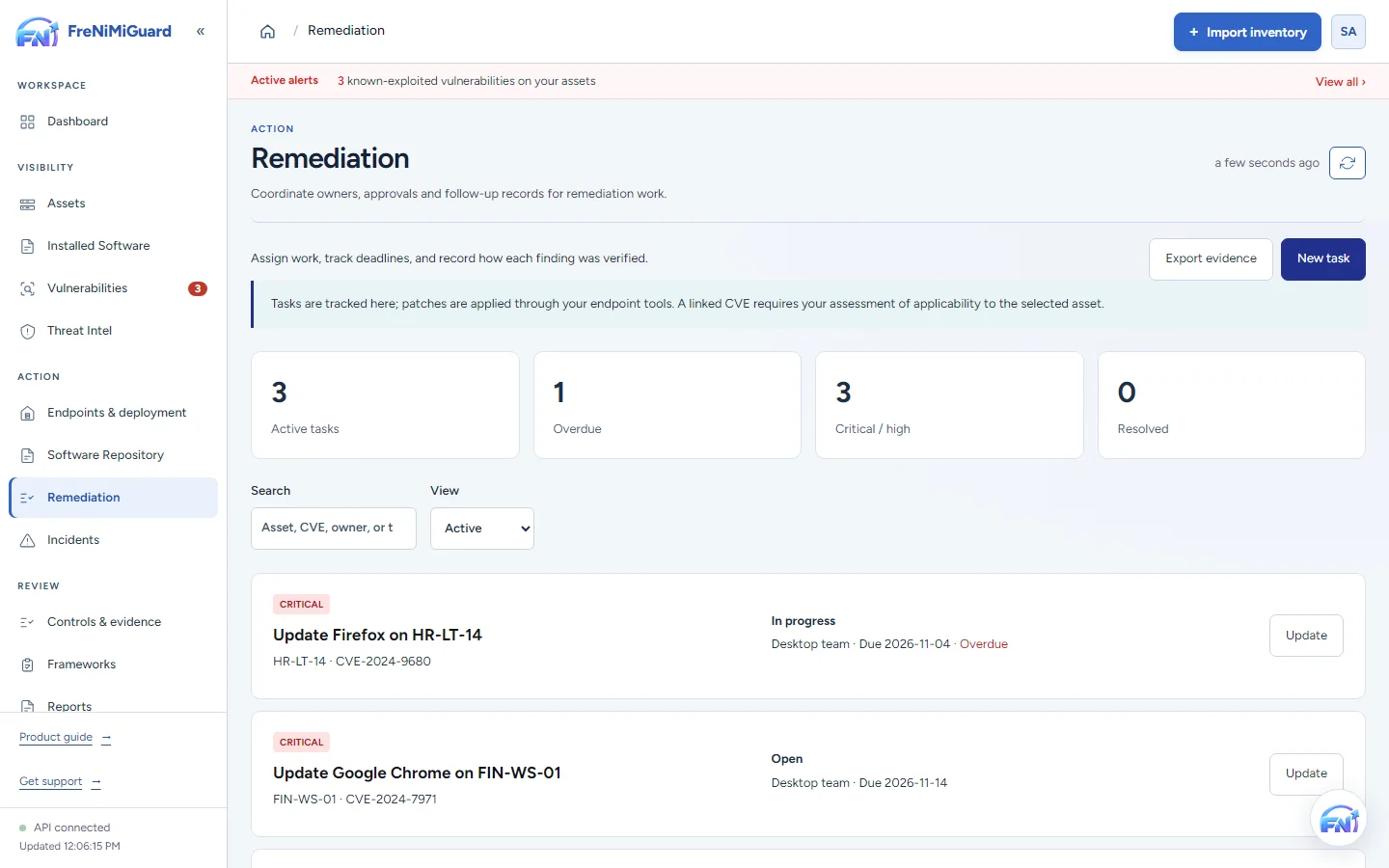
Actual product screenshot with sample records. These screens are not a continuous before-and-after patch test.
Stage: Coordinated work
What does this information let you conclude?
Try a review decision. These are illustrative situations, not a test of your environment.
A later observation can support review of the installed state. Confirm the device, product, source and time before deciding whether it supports closure.
Evidence boundary: a screenshot shows an interface and sample records. A task note or successful command response alone does not establish an observed endpoint outcome. Watch the existing product recordings →
Keep the record small, connected and specific
Connect the finding and device to the intended response. Keep approval, execution detail and follow-up observations together where your tools allow. If another system performed the work, retain its source reference and identify who reviewed the result.
- Before the action: device identity, affected software context, intended result, scope and approval.
- During execution: action reference, timestamps, reported errors and restart requirements.
- After execution: observation source, collection time, observed state and comparison with the target.
- At review: closure rationale or remaining limitation, reviewer and next responsible person.
A version observation supports a software-state assessment. It does not by itself prove every vulnerability or attack path has been eliminated. Use the relevant product, vendor and source context for the finding under review.
Make incomplete checks actionable
“Awaiting observation” is useful when it identifies what is missing and who will obtain it. It becomes less useful as a permanent holding category with no next action.
Keep offline devices, failed attempts and conflicting observations visible. For an exception, record the reason, decision owner and next review point. Retaining the sequence helps another reviewer understand why the work is still open or why a particular decision was made.
Follow the action and its records in FreNiMiGuard
Review the supported action path in patch and software deployment. Use remediation and verification to coordinate the work and inspect available follow-up records. Actions depend on supported devices, agent setup, permissions and approval.
A task note or successful command response alone is not independent confirmation of installed software. During evaluation, ask which source supplies the later observation, how its time is represented and what remains visible when the check is unavailable.
Ask a more useful demo question
“Can we trace one approved action through its execution result to the next available software observation, including an offline or failed case?” Review the source and timestamps alongside the task.
Questions about closing the work
Is an installer success message useful?
Yes. It is execution evidence. Retain it, understand the source’s success conditions and review the additional observation your process needs before concluding that the intended state was reached.
Can one agent supply both execution and inventory records?
It may, depending on the supported implementation. Distinguish the records and timestamps. Two records from one source should not be described as independent verification simply because they appear in different screens.
TAKE IT INTO YOUR NEXT REVIEW
Your working checklist
Tick items as you prepare. This is a personal preparation aid, not a security assessment. Selections reset when this page reloads.
0 of 7 preparation items checked.
Sources and context
NIST SP 800-40 Rev. 4 includes installation verification within enterprise patch management. The work-state table and fictional example are practical process suggestions from FreNiMi, not a claim that NIST has validated this product.