
Business IT needs current software context on supported computers.
Keep business-device findings separate from operational technology assessments.
Explore the supporting capabilityEnergy IT workflows
Energy business IT teams need clear boundaries between approved workplace computers and specialist operational environments.
Inspect the real sample screens below.
Work in your environment
Keep business-device findings separate from operational technology assessments.
Explore the supporting capabilityMake remote-site ownership and access dependencies clear in the task.
Explore the supporting capabilityExplain deferred or incomplete observations in the workplace IT review.
Explore the supporting capabilityAgree a supported scope
Begin with business and approved workplace computers. Review the source inventory, confirm the device owners and choose a representative group for evaluation. Check what your team expects to see before extending the workflow to more locations or users.
Device boundaries, network access, maintenance responsibilities and hosting requirements. Explain how findings reach your team today, who approves a change and which records your next internal review needs.
Evaluate the handover
Explore supporting workflows
Bring supported devices and installed software into one workspace. Review version details, device ownership and inventory freshness before deciding what needs attention.
Explore this capabilityGive a finding an owner, track the follow-up and keep the result with the task. Distinguish work that was planned, sent, observed and still needs review.
Explore this capabilityTurn software findings and remediation work into a clearer conversation with leadership. Use summaries and supported exports to explain progress, unresolved items and the next decisions.
Explore this capabilityQuestions before rollout
These are use cases for the same FreNiMiGuard platform. Scope, plan availability and deployment responsibilities are agreed for your organisation.
Use supported records as material within your own review process. Confirm source coverage and limitations. Industrial control systems and operational technology require separate assessment.
Bring the device sources, workflow owners and review requirements to a conversation. Inspect the product tour, then agree a small evaluation scope before connecting systems.
EXPLORE THE ACTUAL SAMPLE INTERFACE
Review administrative workplace IT without assuming coverage of operational or control systems. Keep those boundaries explicit in your evaluation.
Device context
The sample asset list connects device names, owners, inventory status and vulnerability context. Use those fields to agree what belongs in the review.
Which supported devices and responsible teams belong in this energy review?
Next handoverResolve missing or stale context before choosing a supported response.
Explore this capability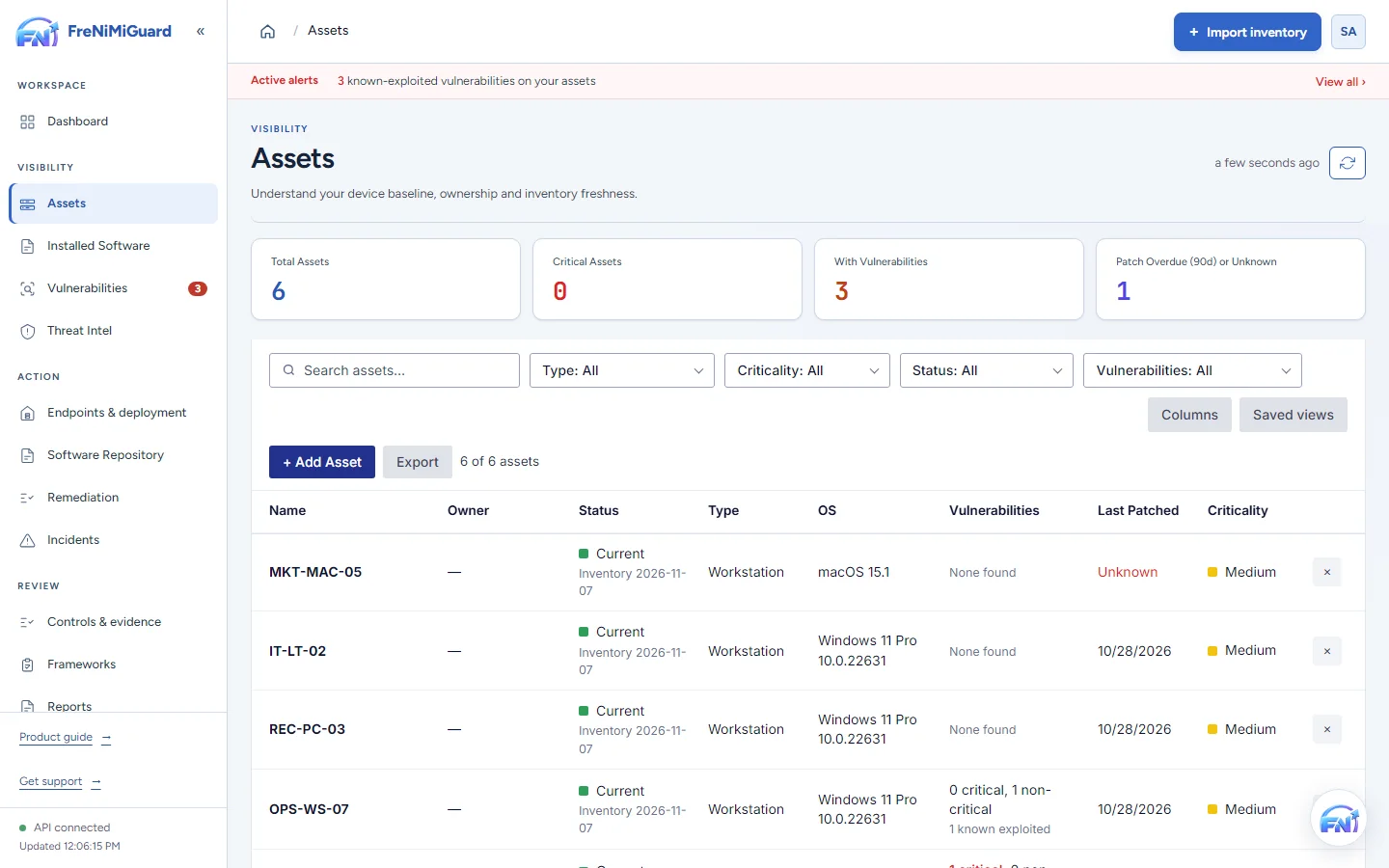
Actual product screenshot with sample records. These screens are not a continuous before-and-after patch test.
Stage: Device context
Evidence boundary: a screenshot shows an interface and sample records. A task note or successful command response alone does not establish an observed endpoint outcome. Watch the existing product recordings →
Prepare your evaluation
Bring your device sources, remediation process and review expectations. Agree a supported scope before rollout.