
Your device scope
Tell us the supported operating systems, approximate workplace device count and the source of your inventory.
CONTACT FRENIMIGUARD
Tell us a little about your computers. We'll reply within one business day to arrange a time, answer your questions or set up a demo. There's no obligation.
We'll reply to within one business day. Your reference is .
EXPLORE THE ACTUAL SAMPLE INTERFACE
Use these samples to frame a walkthrough request: the device context you have, the action you need to coordinate and the review material you need afterwards.
Device context
The sample asset list connects device names, owners, inventory status and vulnerability context. Use those fields to agree what belongs in the review.
Does the record identify the intended device, responsible team and observation time?
Next handoverResolve missing or stale context before choosing a supported response.
Explore this capability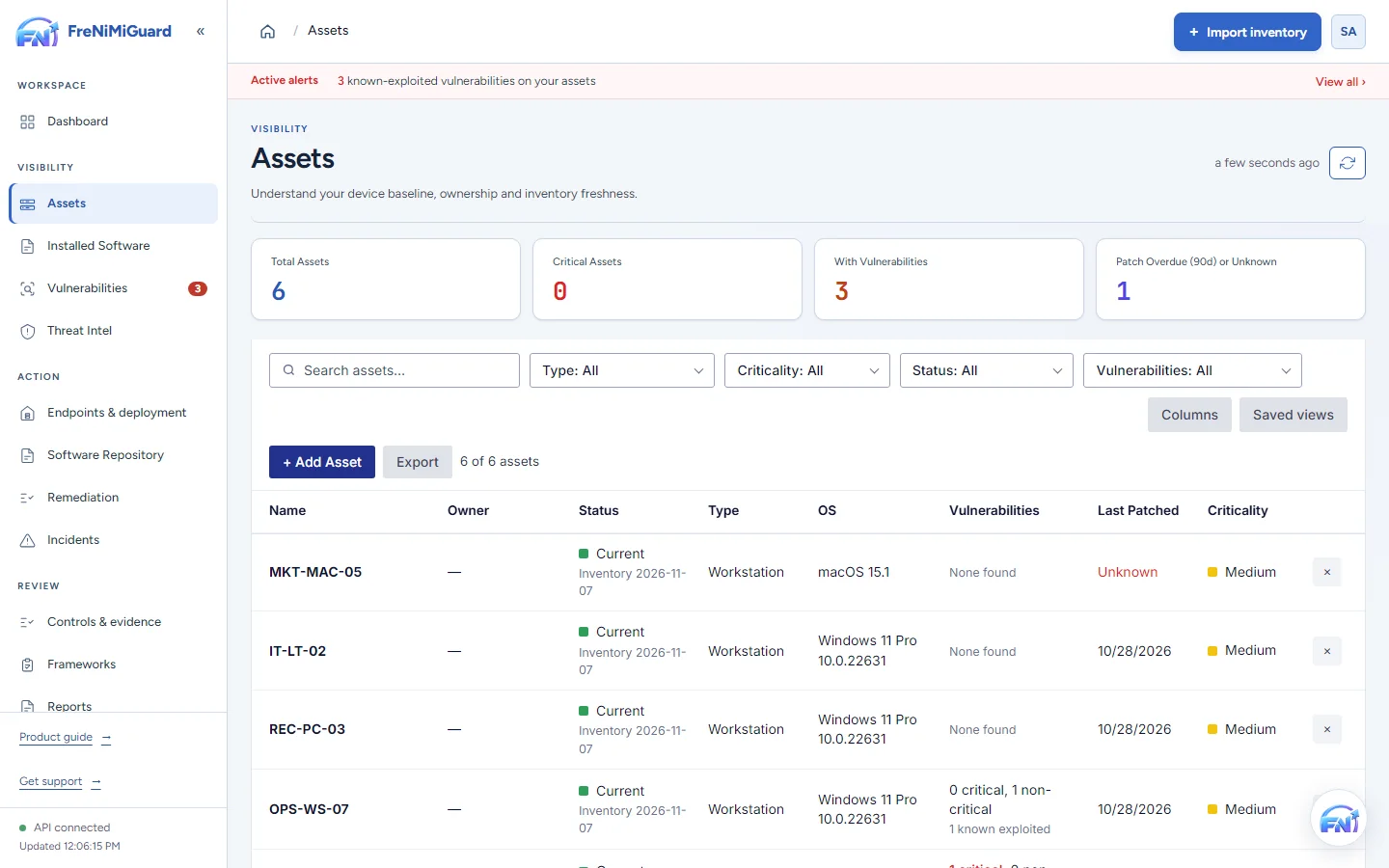
Actual product screenshot with sample records. These screens are not a continuous before-and-after patch test.
Stage: Device context
Evidence boundary: a screenshot shows an interface and sample records. A task note or successful command response alone does not establish an observed endpoint outcome. Watch the existing product recordings →
Prepare the conversation
Tell us the supported operating systems, approximate workplace device count and the source of your inventory.
Explain who reviews findings, who approves a change and how your team checks the outcome today.
Bring the report formats, deployment questions and supporting evidence your internal reviewers require.
What to expect
No. This form sends your enquiry. It does not configure inventory access, install an agent or authorise changes to endpoints.
Do not include passwords, API keys, patient records or other sensitive operational data in an initial enquiry. Describe the requirement and agree an appropriate follow-up process.
Yes. The public product tour uses illustrative records in the actual interface. Review the platform and sample evidence pages before your conversation.
Choose the right route
Tell us which inventory, remediation or reporting workflow you want to see. The form above can be used to request a demo.
Request a demoReview published software plans first. For more than 50 computers or enterprise deployment, describe your requirements.
Compare current pricingUse service status to check current availability. Security concerns have their own responsible disclosure instructions.
Report a security concernFor availability information, check service status . Do not send passwords, API keys or sensitive records in an enquiry.