
Know the office computers
Agree which supported computers belong in the workspace and who looks after them. Keep personal devices and specialist equipment outside the first evaluation.
Explore inventorySmall business IT
Start with the computers you support today. Review installed software, assign the work and keep the result ready for the next conversation.
Designed around your team
Agree which supported computers belong in the workspace and who looks after them. Keep personal devices and specialist equipment outside the first evaluation.
Explore inventoryUse a named owner for each follow-up. Agree how your internal owner and IT provider review findings, approve changes and hand work over.
Explore remediationExplain the affected software, work completed and devices still awaiting a check. Bring the available records to the next leadership or trustee conversation.
Explore reportingEXPLORE THE ACTUAL SAMPLE INTERFACE
Turn a software question into a named responsibility and a reviewable next step, even when one person wears several IT roles.
Device context
The sample asset list connects device names, owners, inventory status and vulnerability context. Use those fields to agree what belongs in the review.
Which supported devices and responsible teams belong in this small business review?
Next handoverResolve missing or stale context before choosing a supported response.
Explore this capability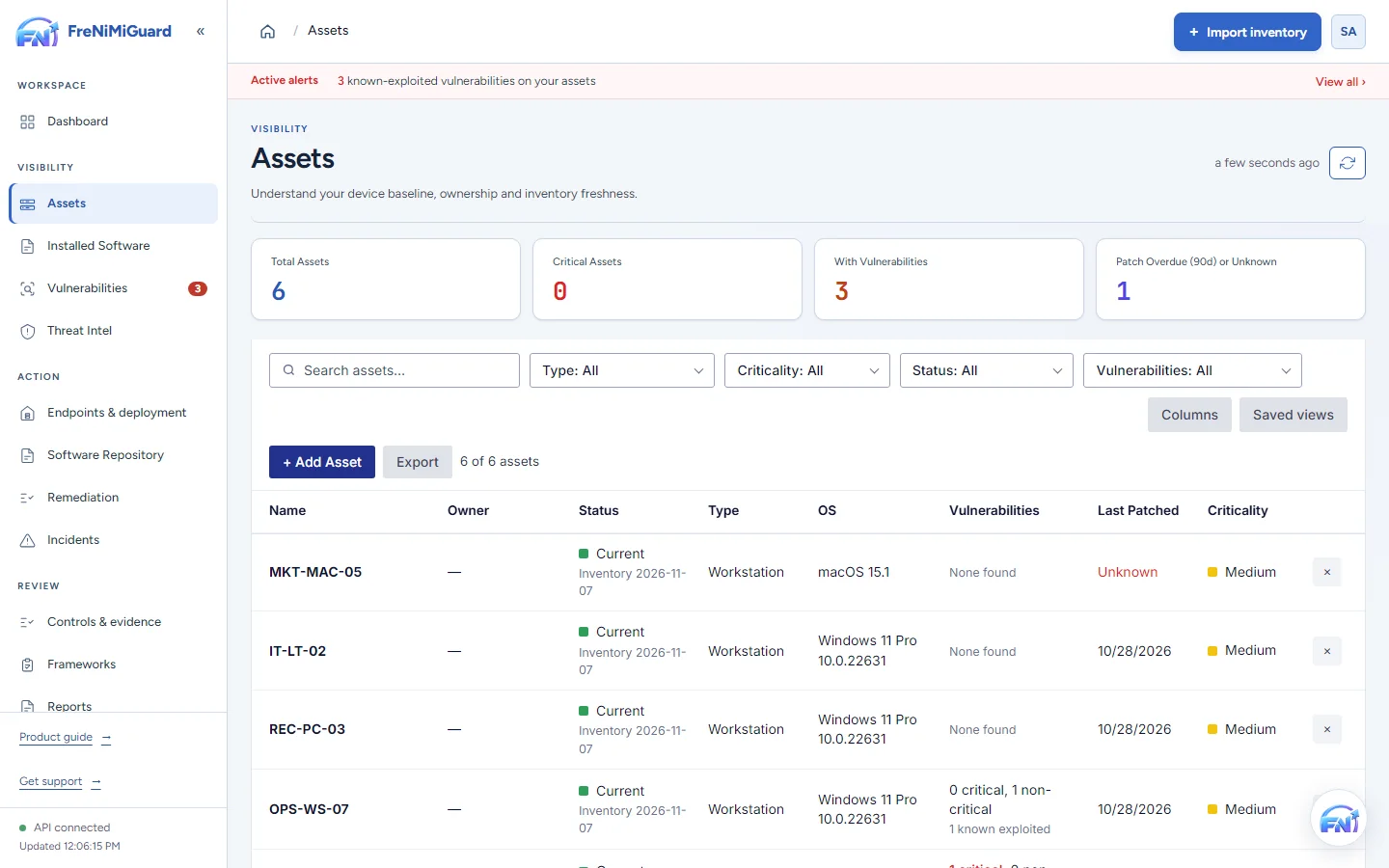
Actual product screenshot with sample records. These screens are not a continuous before-and-after patch test.
Stage: Device context
Evidence boundary: a screenshot shows an interface and sample records. A task note or successful command response alone does not establish an observed endpoint outcome. Watch the existing product recordings →
Choose the right support